We made domain transfer easy

.com from $38USD

Looking for a new domain name? Try domain checker

Transfer a domain name in 4 simple steps:

1

Enter the domain name you want to transfer

Simply enter your domain name and click on transfer.

2

Prepare domain for transfer

Unlock the domain you want to transfer at your current registrar.

3

Proceed with the purchase

Enter the EPP code or domain transfer authorization code and confirm transfer.

4

Confirm domain transfer email

You will receive a confirmation letter from your domain registry.
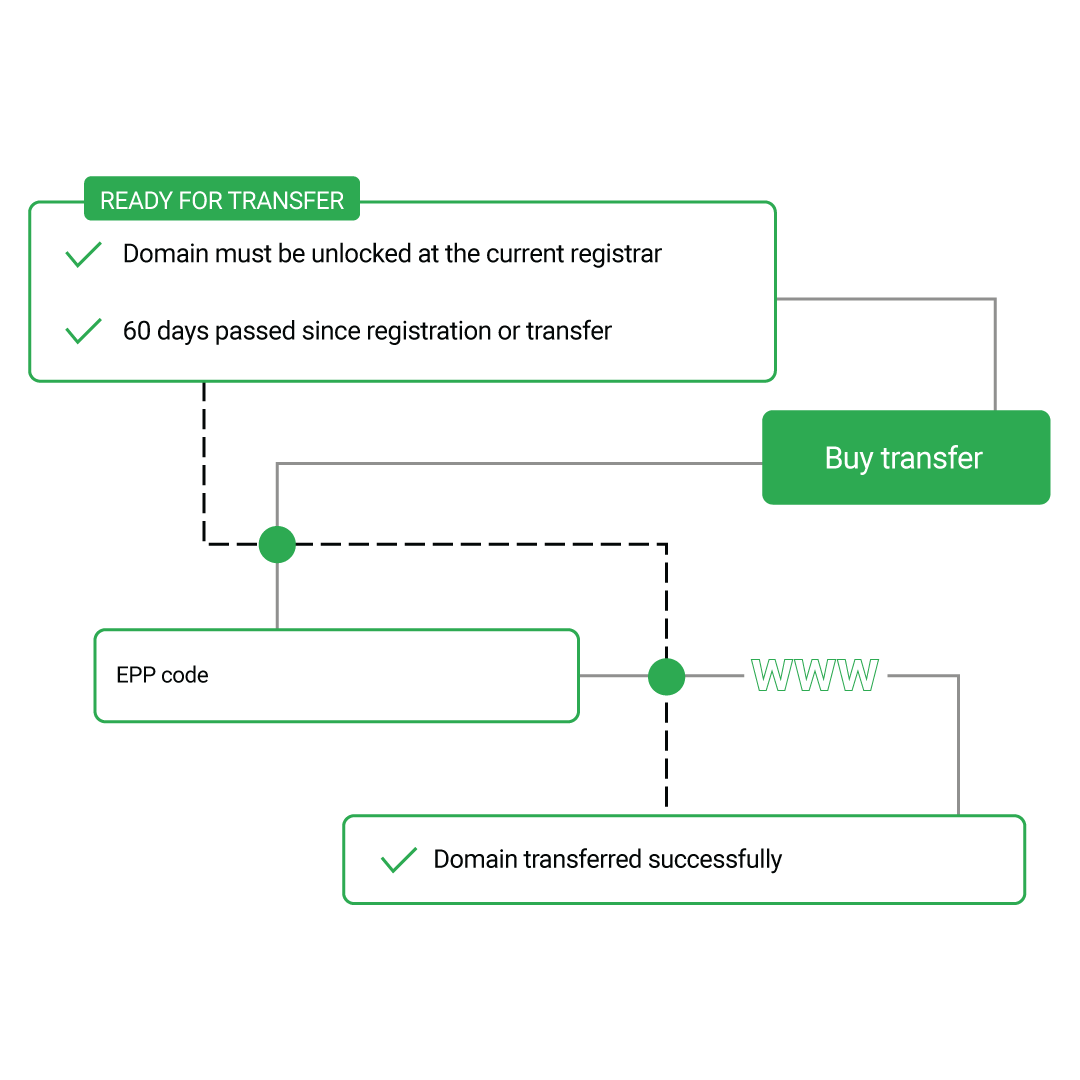
Domain transfer steps

Why transfer domains to WP Hosting Hub?

No time lost

Domain transfers typically include a one-year extension added to your current expiration date, so you keep your domain active without interruption.

Easy domain management

Manage DNS, renewals, and domain settings from a single dashboard designed for both businesses and developers.

Optional privacy protection

Add WHOIS privacy protection when needed to keep your ownership details secure and reduce unwanted exposure.

Check our domain transfer prices

Domains
Transfer price
.com
$38USD (renewal at standard rate)
.org
$41USD (renewal at standard rate)
.net
$42USD (renewal at standard rate)
.info
$70USD (renewal at standard rate)
.biz
$55USD (renewal at standard rate)

To ensure a successful domain transfer

  • Make sure it has been more than 60 days since the domain registration or last transfer.
  • Check your domain status, it should not be in Pending Delete or Redemption status.
  • Make sure you have access to the domain's EPP code. Learn more about EPP
  • Your WHOIS privacy protection should be disabled before the transfer process.
Successful domain transfer

Domain transfer FAQs

Find answers to frequently asked questions about domain transfers.

A domain name transfer is the process of moving your domain registration from one registrar to another. When you transfer your domain to WP Hosting Hub, you're changing where your domain is managed while keeping the same domain name.
Transferring your domain to WP Hosting Hub gives you better management tools, competitive pricing, excellent customer support, and the convenience of managing both your domain and hosting in one place. Plus, you get free WHOIS privacy protection.
To transfer your domain, enter your domain name in the transfer form above, unlock your domain at your current registrar, obtain the EPP code, and complete the transfer purchase. We'll guide you through each step of the process.
Domain transfers typically take 5-7 days to complete. The exact time depends on your current registrar's response time to the transfer request. Most transfers are completed within a week.
Domain transfers include a one-year renewal fee, so there is a cost associated with transferring. However, this extends your domain registration by one year, so you're not losing any time. The transfer itself includes the renewal period.
Yes, you can transfer and manage your domain at WP Hosting Hub without purchasing hosting. However, to have a website, you'll need both a domain name and web hosting. Many customers choose to transfer their domain and purchase hosting together for convenience.